How do I regenerate my world?
There are two ways to get a brand new world. Pick the one that matches what you want to happen to your old world.
| Method 1: Delete the world | Method 2: Change the world name | |
|---|---|---|
| Old world | Gone for good | Kept in your files |
| Best for | Starting completely fresh | Trying a new world, with the option to go back |
| Difficulty | Easiest | One extra edit |
Method 1: Delete the world folder
Section titled “Method 1: Delete the world folder”-
Open your server in the game panel and stop it with the square Stop button in the power bar at the bottom of the page. Wait until the status next to your server name shows Offline. Never delete world files while the server is running.
-
Open Files in the left menu.
-
Find the
worldfolder. It is namedworldunless you changedlevel-namein your server properties.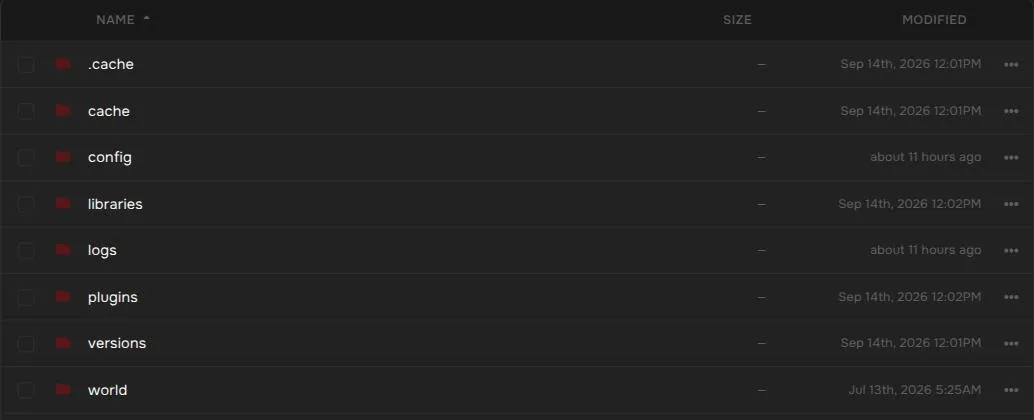
-
Right-click the folder (or use the … button at the end of its row) and choose Delete.
- On newer server versions the Nether and End are stored inside the
worldfolder, so deleting it resets every dimension. - On some older Paper, Spigot, and Purpur versions the Nether and End are separate folders called
world_netherandworld_the_end. If you see them next toworld, delete them too.
- On newer server versions the Nether and End are stored inside the
-
Press the green Start button. The server generates a new world on startup.
Method 2: Switch to a new world name
Section titled “Method 2: Switch to a new world name”This leaves your old world untouched, so you can switch back at any time.
-
Stop the server with the Stop button and wait until it shows Offline.
-
Open Properties in the left menu and type
levelin the search box. -
Change Level Name from
worldto a new name, for exampleworld2, then press Save Changes.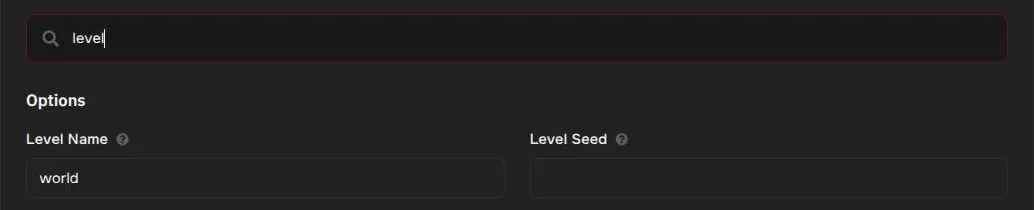
-
Press Start. The server creates a new world with the new name. Your old
worldfolder stays in your files.
To go back to your old world later, stop the server, set Level Name back to world, save, and start it again.
Prefer editing the file directly? Open server.properties from Files and change the line level-name=world. It does the same thing.
Choose a specific seed (optional)
Section titled “Choose a specific seed (optional)”On the same Properties page, enter your seed in Level Seed before you start the server with the new world, for example -4172144997902289642. Leave it blank for a random world.
The seed only applies when a world is first created. Changing it does not alter a world that already exists.
Common questions
Section titled “Common questions”Will I lose my server settings, plugins, or player data? No. Only the world is affected. Plugins, mods, and settings stay as they are. Player inventories and stats are stored inside the world folder, so they reset along with it. Method 2 keeps them safe in the old world.
The server made the same world again. The old world folder was not fully removed, or Level Name points at a folder that still exists. Check that you deleted the correct folder, or use a name that does not exist yet.
Do I need to reinstall anything? No. Once the server starts, it creates the new world by itself.