Install plugins
Plugins add features such as land protection, voice chat, and world editing. They work on plugin-capable server software such as Paper, Spigot, and Purpur.
One-click install
Section titled “One-click install”- Open Plugins in the left menu.
- On the Search tab, use the filters to narrow the list. Choose your Minecraft Version and Loader so you only see plugins that work on your server.
- Find a plugin and press Install.
- Restart your server from the power bar so the plugin loads.
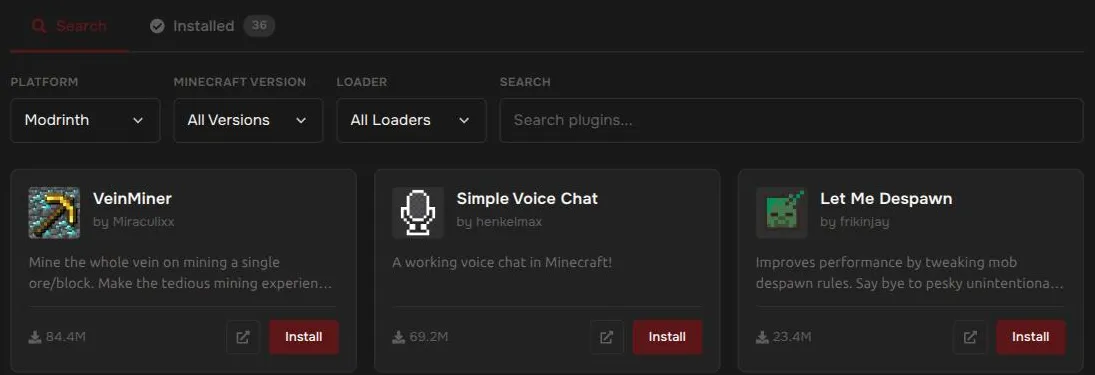
The Installed tab lists what is already on your server.
Upload a plugin yourself
Section titled “Upload a plugin yourself”If you downloaded a .jar file from somewhere else:
- Open Files and go into the
pluginsfolder. - Press Upload and choose your
.jarfile. - Restart your server.
For large uploads, use SFTP. See Upload and manage files.
If your server won’t start after adding a plugin
Section titled “If your server won’t start after adding a plugin”A plugin that does not match your Minecraft version is the usual cause. Remove it from the plugins folder and start again. See My server won’t start.