Change your Minecraft version
Change the version
Section titled “Change the version”- Stop your server and wait until it shows Offline.
- Open Startup in the left menu.
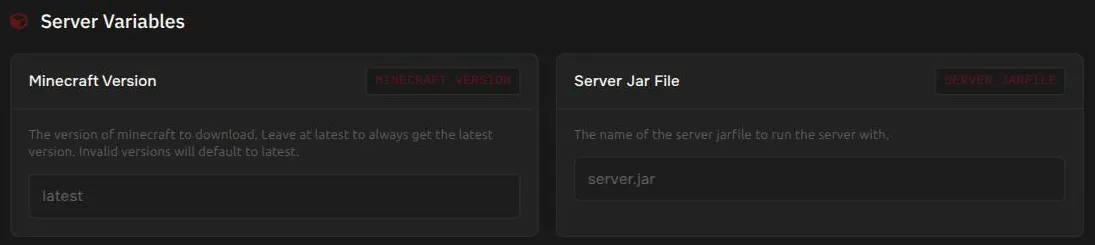
- Under Server Variables, set Minecraft Version. Leave it as
latestto always use the newest version. An invalid version falls back tolatest. - Start your server. It downloads the version you picked.
On Paper servers you can also pin a Build Number. Leave it as latest unless you need a specific build.
If the server fails to start on an older version
Section titled “If the server fails to start on an older version”Older versions of Minecraft can need an older version of Java. On the Startup page, the Docker Image setting lets you pick a different Java version. It is an advanced setting, so change it only if you have to.
Switch server software
Section titled “Switch server software”You can switch between server types, for example from Paper to Purpur, without ordering a new plan.
- Back up your server.
- Open Settings, then find Change Egg.
- Under Switch to, choose the software you want and press Change.
Changes take effect immediately. Available software includes Paper, Spigot, Vanilla, Forge, NeoForge, Fabric, Quilt, Purpur, Folia, and Bedrock. Plugins and mods are specific to the type of software, so check that yours still work after you switch.