Ops and whitelist
Manage players from the panel
Section titled “Manage players from the panel”Open Players in the left menu. The page has four tabs: Opped, Whitelisted, Banned, and Offline.
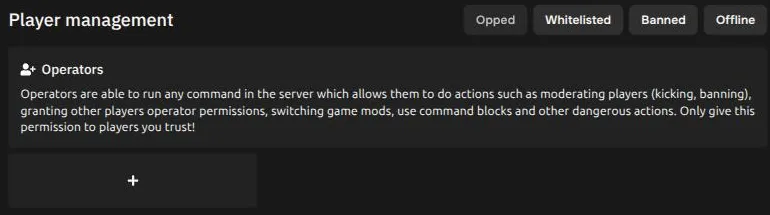
To add someone, choose the tab you want and press the + button.
Turn the whitelist on
Section titled “Turn the whitelist on”Adding names to the Whitelisted tab only matters once the whitelist is turned on. Open Properties, search for whitelist, switch it on, and press Save Changes. Restart the server after changing it.
Using the console instead
Section titled “Using the console instead”With your server online, open Console and type:
op YourPlayerNamewhitelist add YourPlayerNameBoth commands work without a leading slash in the console.