Network and ports: server address and port allocations
Open Network in the left menu to see how players reach your server.
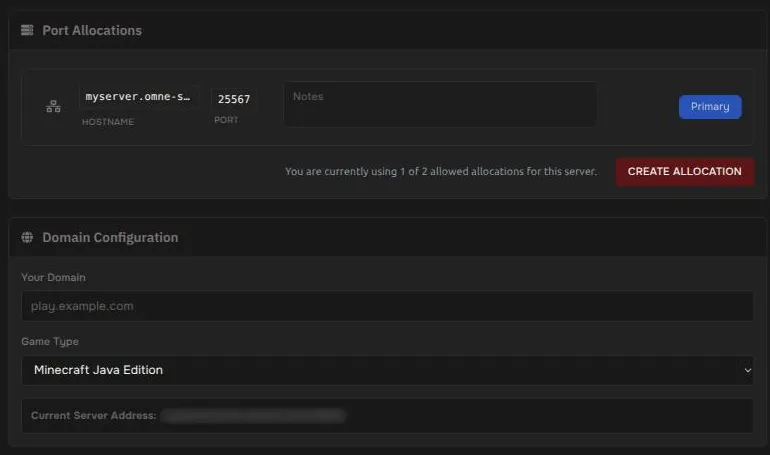
Port allocations
Section titled “Port allocations”The Port Allocations section lists each address and port assigned to your server. One of them is marked Primary. That is your server’s main address, and the one players use to join.
You can add a note to each allocation, for example “voice chat” or “map”.
Add another port
Section titled “Add another port”Some plugins and mods need an extra port, such as a web map or voice chat.
- Press Create Allocation.
- A free port is assigned to your server. It appears as a new row with the public address and the new port number, a trash icon to remove it, and a Make Primary button.
The page shows how many allocations you have used, for example “1 of 2 allowed”. The limit depends on your plan. When you reach it, the button will not add another.
Your address
Section titled “Your address”Your server address is also shown under your server name in the left menu, with a button to copy it. To get an easier-to-remember address, see Use a subdomain.